Quick mode
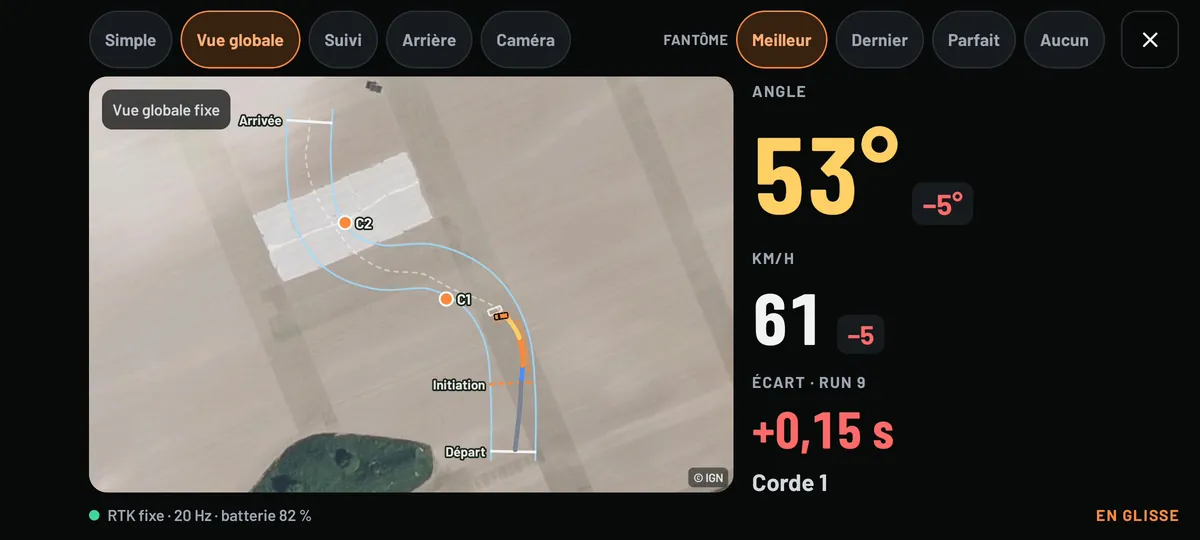
No layout? A score for angle and speed for every drift, straight away.
Racemeter is a unit that sits on the roof and an Android app. The unit tracks the car to the centimetre, 20 times a second, and measures its drift angle. The app scores every run, replays it from above and compares it with your best.
Drift first: it's the app's only mode today. Grip, run and drag are planned next.
The unit is a prototype, not yet manufactured or sold: it has no price and no release date. The app is in testing, and already works with just your phone.
Prototype under development: these are the target specifications. All about the unit
It mounts on the roof and runs on its own battery. The phone connects to it over Bluetooth and passes it the RTK corrections through its mobile connection: no base station to set up at the side of the track.
Start the session: runs are detected automatically at the start and finish of your layout, even with the screen off. In the car, the angle and speed are shown in very large figures.
Back in the paddock, the run's score is waiting for you, with what cost you points. Replay it from above, against your best run as a ghost, or with the video and the measurements overlaid.
Angle, speed and line: every run gets its score as soon as you're back in grip, with the gap to your best. On a layout, the line is judged on zones and clipping points, and several scoring profiles, inspired by competition scoring systems, weight the criteria.
Every point lost is explained: missed clipping point, going off track, straightening mid-drift, spin. The score in detail
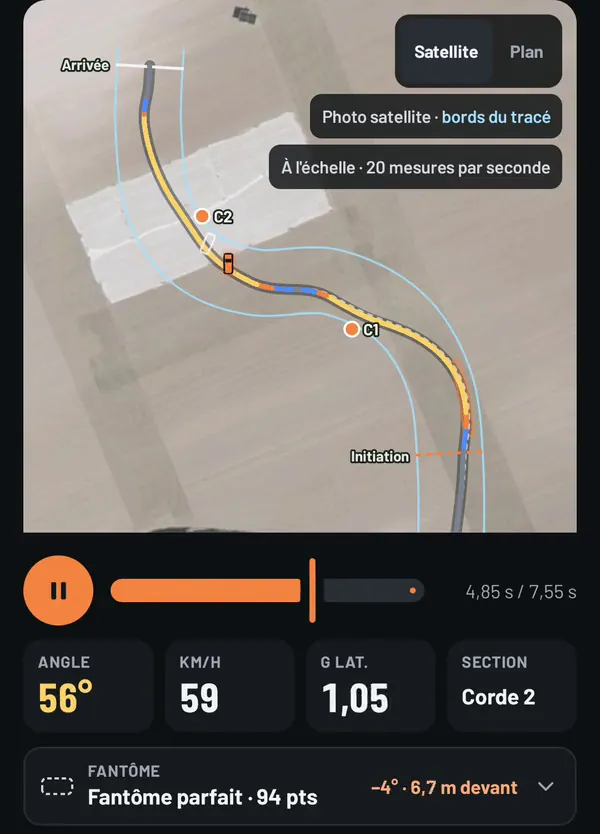
Your car's silhouette, to scale and at its true angle, replays the run on the IGN aerial photo, 20 measurements per second. The trace is coloured by angle, speed or gap to the ghost.
Your best run can drive alongside as a ghost, aligned on distance travelled: you compare at the same spot on the track, not at the same moment.
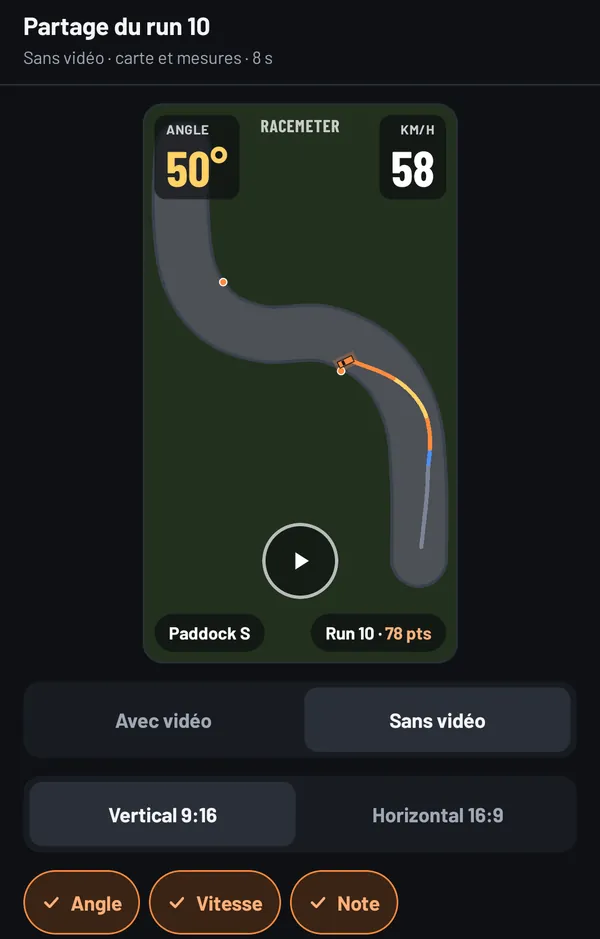
Film with the phone or import the video from an onboard camera: the app syncs it to GPS time, then to the exact frame if needed.
It exports it with the angle, speed, score and a mini-map overlaid, vertical for social media or horizontal. Nobody filmed? The top-down animation can be exported too.
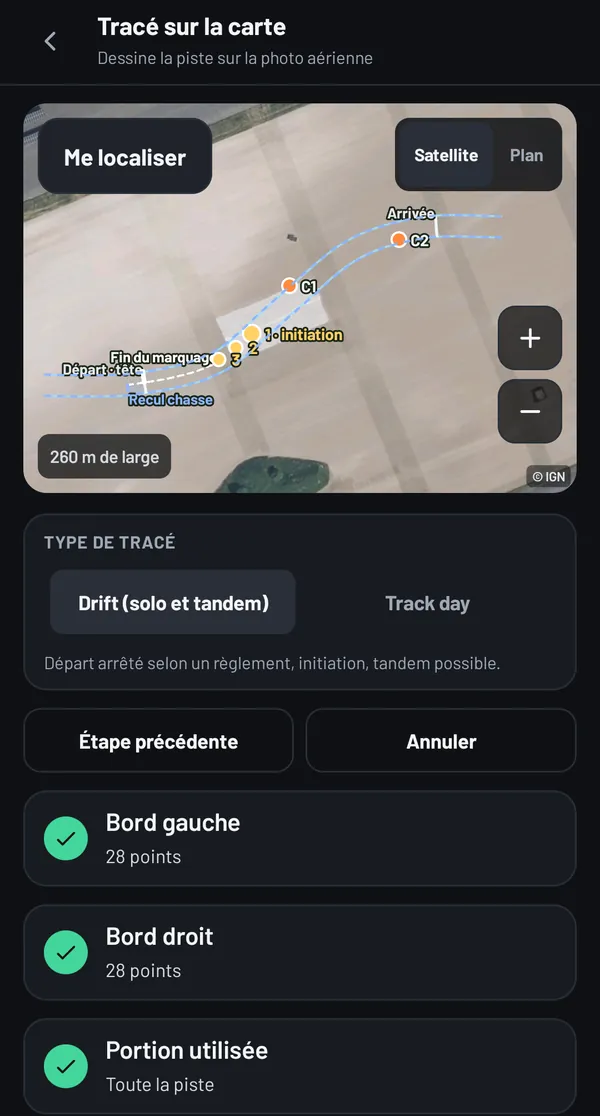
A guided list sets out the edges, the start, the initiation, the clipping points and the zones, then the finish. Drift and tandem starts follow the rulebooks: lanes, chase setback, initiation cones.
No layout? A score for angle and speed for every drift, straight away.
Two runs replayed together, with the chase's proximity measured over the judged part.
Simple, overview, follow, rear or camera: the screen you want in the car.
Tyres, pressures, setup, weather and comment, stored with the day's runs.
Everything stays on the phone. A layout's map can be saved for tracks with no signal.
Send a run or a layout to a friend: they open it in their app, and your run becomes their ghost.
Screenshots and video from the test version, with the app shown in French, taken on the Android emulator with simulated measurements. All the features, one by one
No unit yet? The app works with the phone's GPS and gyroscope. Accuracy drops to a few metres and the angle is estimated: it's a rough idea, not a competition measurement.
Enough to try quick mode, the replay, the logbook and video right now. The day you get a unit, you pair it using its QR code, and the app offers to switch to it.
With an account, by invitation during the beta: your friends' activity, shared layouts, a leaderboard per layout and live tandem. The score of every ranked run is recalculated by the server, with the same calculation as the app.
Without an account, the app works entirely on the phone. Online, everything is private by default: sharing a run or appearing in a leaderboard always needs your consent. The social side in detail
What works today, what's in the works, and what comes next. No dates: we'd rather give one when it's certain.
A question about the hardware, your data or what's next? Frequently asked questions
The Android app beta is by invitation. Write to us: we'll send you the app and what you need to install it.